
- |
-
Vikram
A landing page is more than a simple destination on your website — it is a high-value asset that influences conversions, search engine visibility, user engagement, and brand trust. While landing pages are often associated with paid campaigns, their impact on SEO is equally powerful. A well-designed landing page can help you rank better, reduce bounce rates, increase dwell time, and guide users smoothly toward your business goals.
In this blog, we will explore how a well-structured, visually appealing, and user-friendly landing page boosts your overall SEO performance and why Shriasys can help you build landing pages that convert and rank effectively.
What is WhatsApp Automation?
WhatsApp Automation refers to automating messages, replies, notifications, reminders, and customer support using the WhatsApp Business App or WhatsApp Business API.
With automation, businesses can:
- Instantly respond to FAQs
- Send order confirmations
- Share shipping updates
- Automate lead generation
- Handle customer support
- Send promotional broadcasts
- Manage bookings and inquiries
It saves time and increases efficiency without compromising customer satisfaction.
Why Your Business Should Use WhatsApp Automation
Here are the major benefits of using WhatsApp Automation:
1. Faster Responses
Customers receive instant replies with automated messages, reducing wait time.
2. Increased Conversions
Automated follow-ups and reminders help convert more leads.
3. Improved Customer Satisfaction
Quick and accurate responses build trust.
4. Saves Time & Effort
Reduce repetitive manual work.
5. Better Lead Management
Automatically capture, tag, and nurture leads.
6. Professional Communication
Using business profiles and automated workflows helps you look more professional.
Step-by-Step Guide to Set Up WhatsApp Automation
Step 1: Choose Between WhatsApp Business App or WhatsApp Business API
WhatsApp provides two tools that support automation:
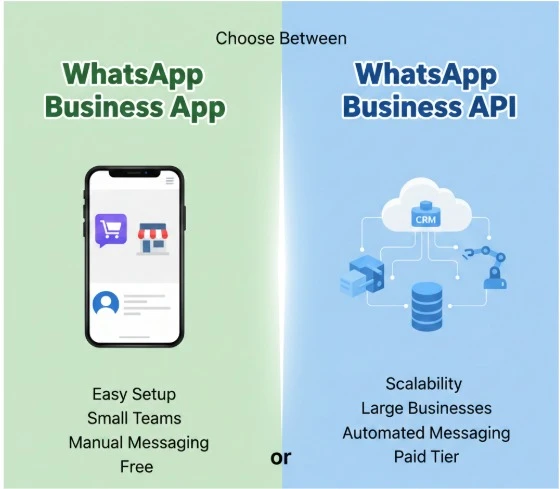
Option 1: WhatsApp Business App (Basic Automation)
Perfect for:
- Small businesses
- Local shops
- Freelancers
You can automate:
- Greeting messages
- Away messages
- Quick replies
Product catalog
Option 2: WhatsApp Business API (Advanced Automation)
Perfect for:
- Small businesses
- Local shops
- Freelancers
You can automate:
- Greeting messages
- Away messages
- Quick replies
Product catalog
Option 2: WhatsApp Business API (Advanced Automation)
If you choose the WhatsApp Business App, follow these steps:
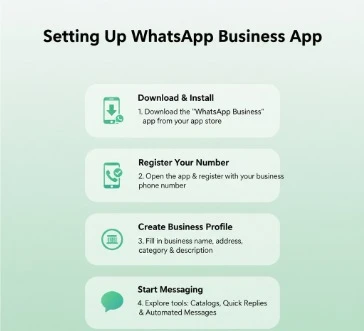
1. Install WhatsApp Business
Download from Play Store or App Store.
2. Register Your Business Number
Use a separate business phone number for convenience.
3. Create Your Business Profile
Include:
- Business name
- Address
- Website
- Description
- Business hours
4. Enable WhatsApp Automated Messages
Greeting Message
Automatically sends a welcome message when a new customer messages you.
Path: Settings → Business Tools → Greeting Message
Example:
“Hello! Thank you for contacting us. How can we help you today?”
Away Message
Send messages when you’re offline.
Path: Settings → Business Tools → Away Message
Quick Replies
Save pre-written answers to frequently asked questions.
Example:
- Type /price for pricing
- Type /delivery for delivery details
This speeds up response time and makes you look professional.
Step 3: Setting Up WhatsApp Business API (Advanced Automation)
For advanced WhatsApp automation, you need the WhatsApp Business API.
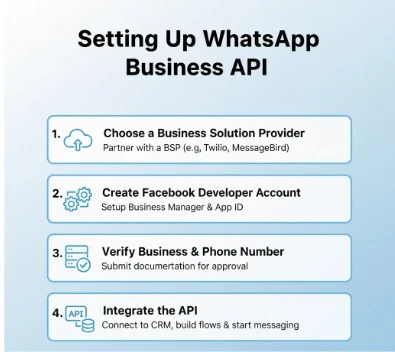
1. Select a WhatsApp API Provider
Choose from:
- Wati
- Interakt
- Gupshup
- Zoko
- Twilio
2. Verify Your Business
Meta will verify:
- Business name
- Website
- Facebook Business Manager
3. Connect Your Number to the API
Your chosen platform will guide you.
4. Create Automated Workflows
Using the API dashboard, you can automate:
- Order updates
- Abandoned cart reminders
- Appointment confirmations
- Lead capture flows
- Customer support chatbots
- Ticket management
5. Build a WhatsApp Chatbot
A chatbot can answer FAQs such as:
- Prices
- Delivery details
- Booking options
- Product information
- Payment issues
Your chatbot can also collect customer details like name, email, and location.

Step 4: Create WhatsApp Message Templates
WhatsApp requires approved templates for:
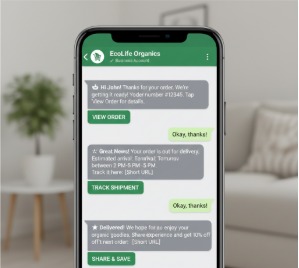
Order Confirmation
“Hi {{name}}, your order {{order_id}} is confirmed.”
Shipping Update
“Your order is out for delivery. Tracking ID: {{tracking_id}}”
Appointment Reminder
“Reminder: Your appointment is scheduled for {{date}} at {{time}}.”
These WhatsApp template messages help automate important notifications.
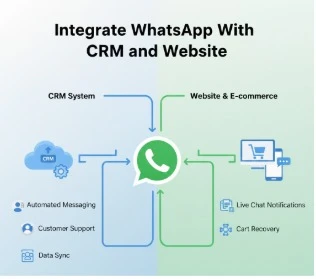
Step 5: Integrate WhatsApp With CRM and Website
Integration makes automation smarter.
Popular Integrations
- Shopify
- WooCommerce
- WordPress
- Zoho CRM
- HubSpot
- Google Sheets
Through integration, you can automate:
- Abandoned cart messages
- New lead alerts
- Order tracking messages
- Customer follow-ups
This improves sales and customer experience.
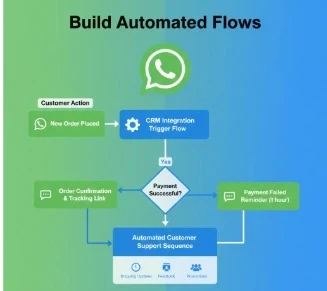
Step 6: Build Automated Flows
Examples of useful workflows:
1. Welcome Flow
Customer → Automated greeting → Product catalog → Lead capture
Great for first impressions.
2. Lead Qualification
Ask questions like:
- “What service do you need?”
- “What is your budget?”
Segment and tag leads automatically.
3. Support Automation
Bot answers FAQs → Transfers complex queries to human agents.
4. Payment or Appointment Reminders
Helps reduce no-shows and late payments.
5. E-Commerce Automation
- COD confirmation
- Delivery updates
- Feedback collection
- Return & replacement updates
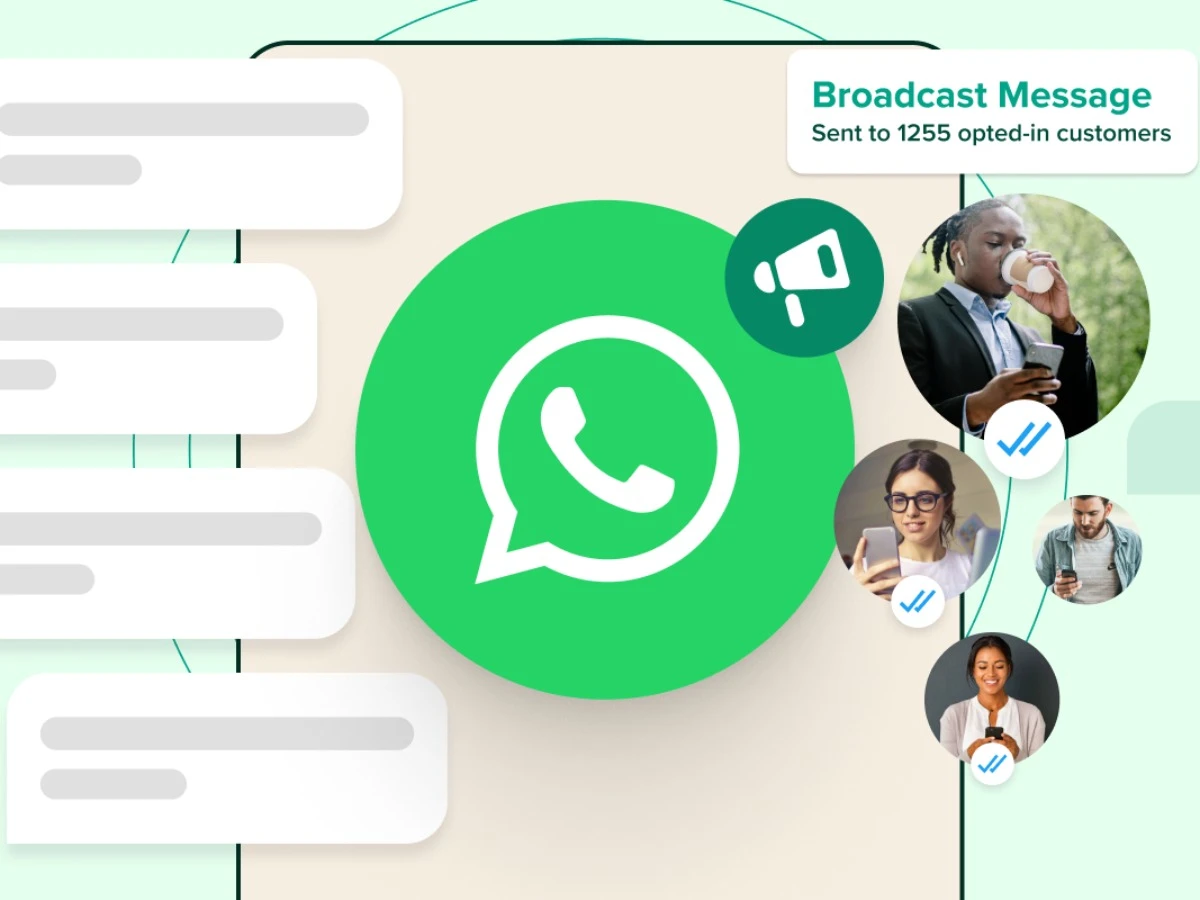
Step 7: Use WhatsApp Broadcast Messaging
Broadcast messages help send promotions to many people at once.
Best for:
- Discount announcements
- Festival offers
- Product launches
- Service reminders
WhatsApp API allows broadcasts without the “save contact first” restriction.
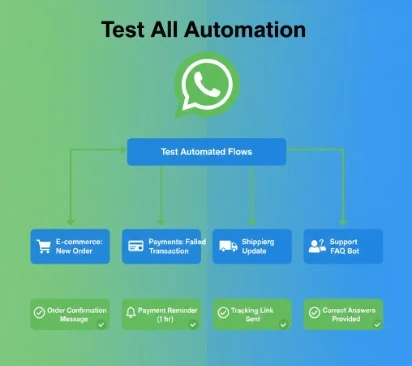
Step 8: Test All Automation
Before going live:
- Test chatbot flows
- Test message delivery
- Test input collection
- Fix errors
- Improve wording
Check template approval
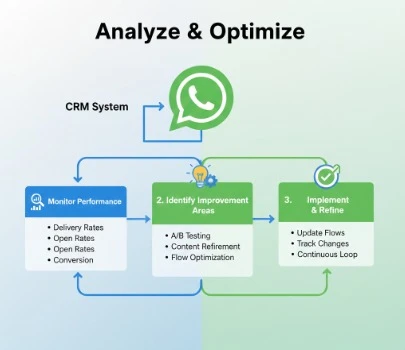
Step 9: Analyze & Optimize
Check performance using analytics provided by your WhatsApp API platform.
Monitor:
- Open rate
- Click-through rate
- Response time
- Lead quality
- Conversion rate
Improve your workflows based on customer behavior.
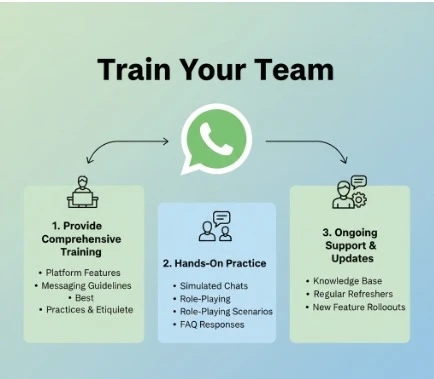
Step 10: Train Your Team
Even with automation, human support is important.
Train your team to:
- Handle escalated queries
- Update product catalog
- Use quick replies
- Monitor chatbot issues
- Provide personalized support
Conclusion
Setting up WhatsApp Automation for your business is one of the smartest steps you can take in today’s digital world. Whether you are a small business using the WhatsApp Business App or a growing company using the WhatsApp Business API, automation helps you:
- Save time
- Respond instantly
- Improve customer experience
- Increase conversions
- Maintain professional communication
By following the step-by-step guide—choosing the right tool, setting up automated replies, creating workflows, integrating with CRM, and optimizing your chatbot—you can turn WhatsApp into a powerful customer engagement platform.